
GST invoices
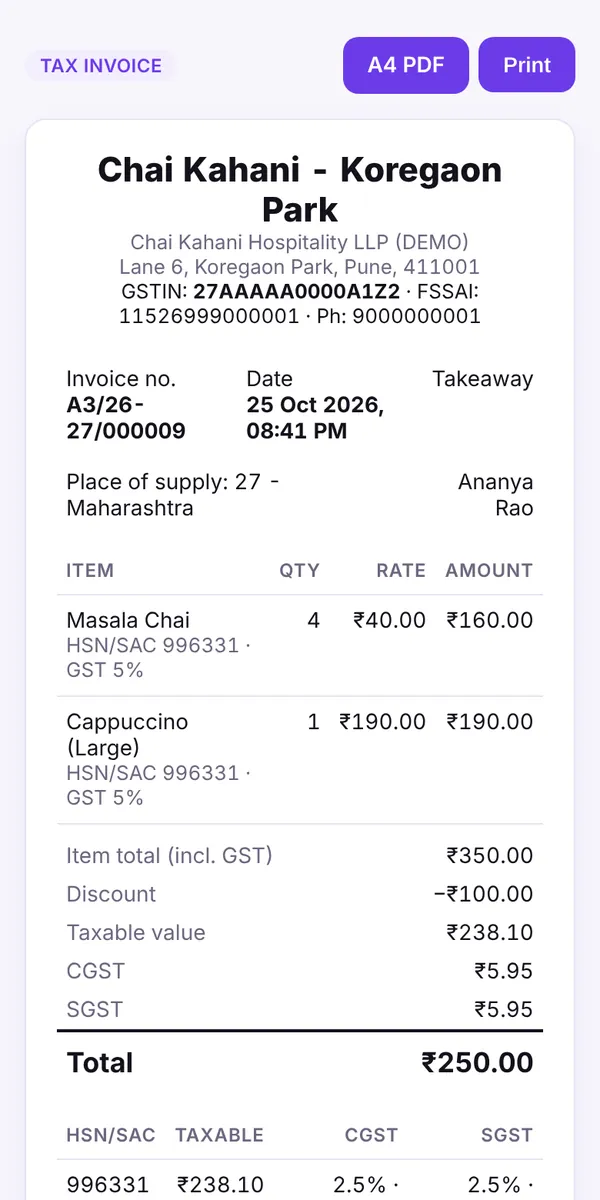
CGST/SGST/IGST split, HSN/SAC codes, GSTIN on the bill and financial-year invoice numbering.
Billowa is the POS for Indian restaurants, cafés and QSRs. Print GST bills, take UPI, send KOTs to the kitchen and run your menu, stock and reports from one place, even when the internet drops.
14-day free trial of every feature · no card needed · then stay on Free forever or pick a plan
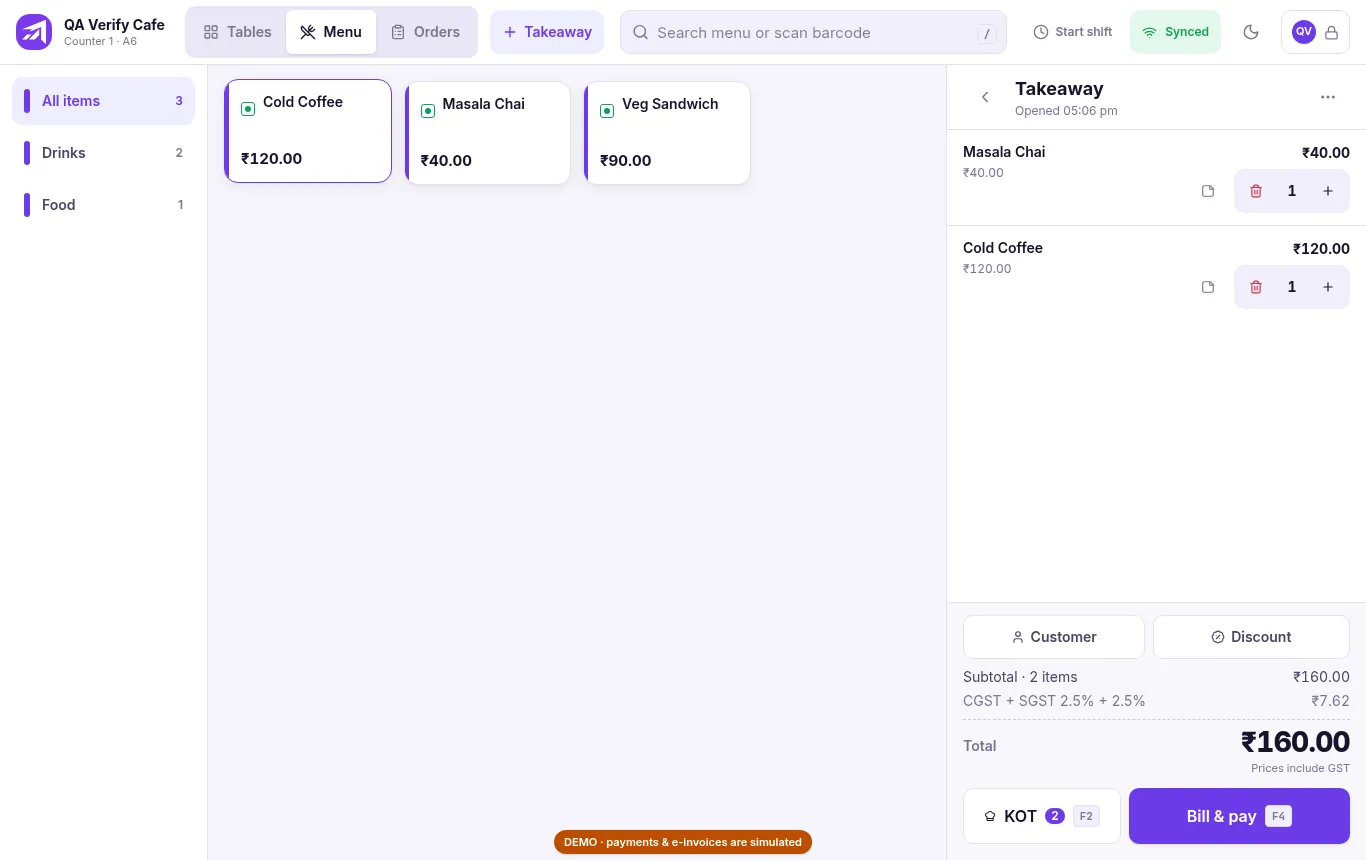
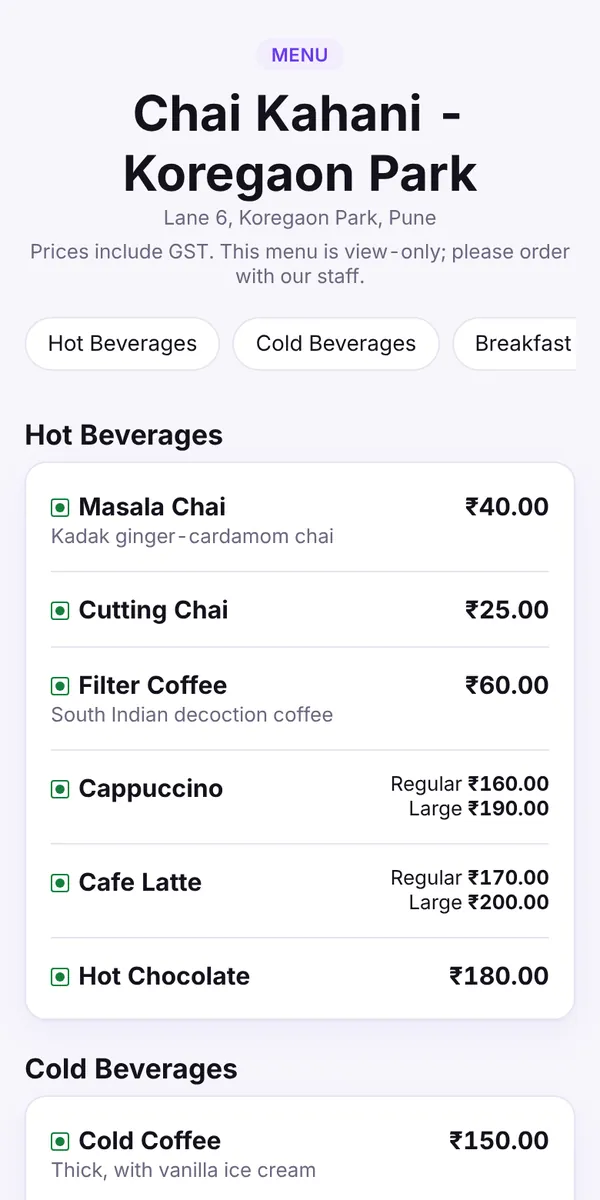
Real screens from the Billowa app, using clearly labelled demo data.
Built for how Indian outlets actually bill: GST, UPI, KOTs and thermal printers, with no extra hardware lock-in.
CGST/SGST/IGST split, HSN/SAC codes, GSTIN on the bill and financial-year invoice numbering.
Show a UPI QR at the counter, record cash, card and split payments, and see how customers paid.
Send kitchen order tickets per table or takeaway, add items to running orders and hold or resume them.
A live digital menu for every outlet. Price and availability changes show up as soon as you save them.
Print bills and KOTs on 58 mm and 80 mm thermal printers over USB, Bluetooth or the network.
The till keeps billing when the internet drops. Bills get their own number on the device and sync later.
Track stock and raw materials, get low-stock alerts, and search or scan items by barcode at the till.
Share the bill as a link on WhatsApp. Guests open a GST e-bill with an A4 PDF, no app needed.
Run several outlets from one account with a shared brand menu, per-outlet prices and outlet comparison.
Some features need a paid plan; see pricing. Multi-outlet tools are on Pro.
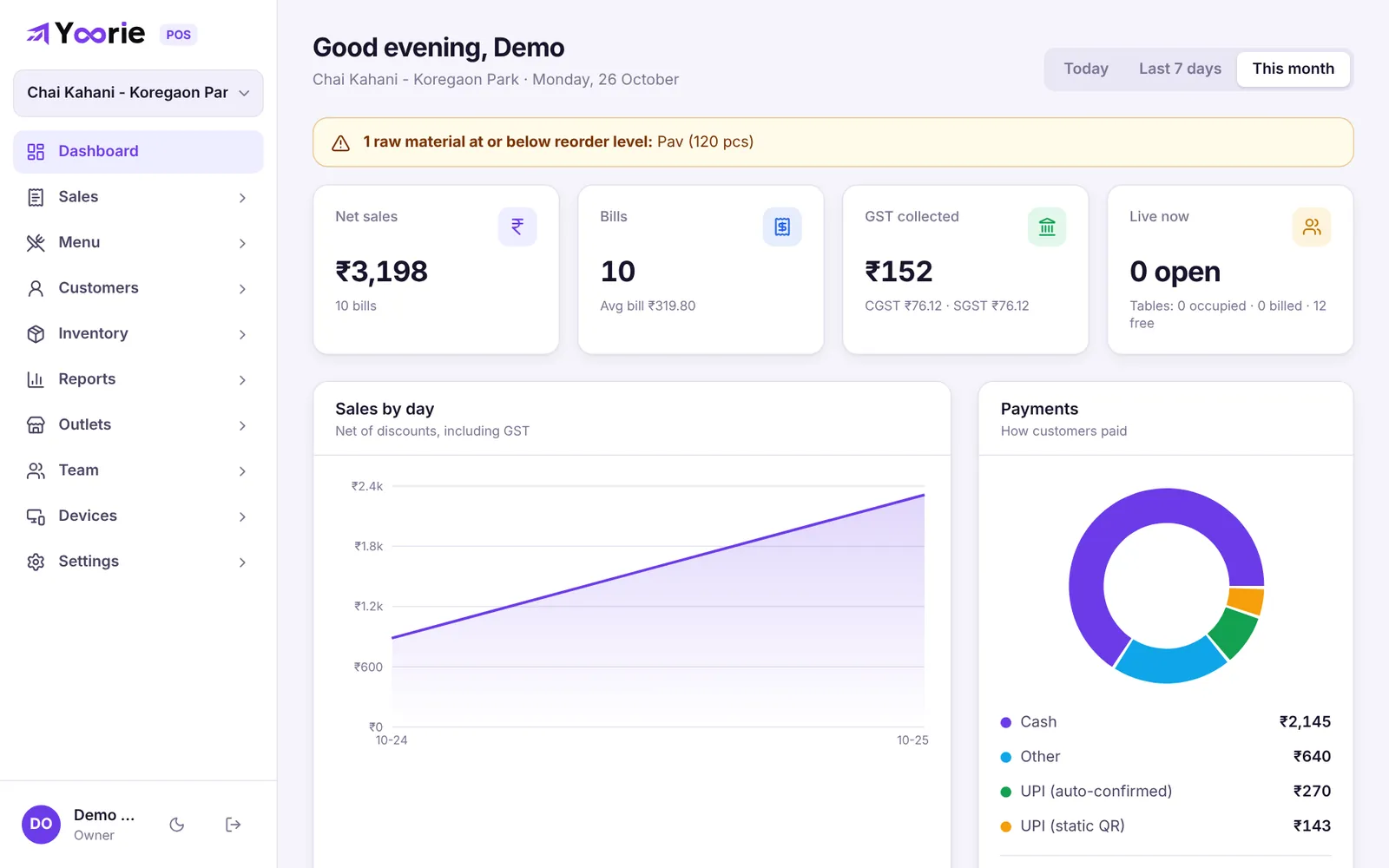
Sales, bills, GST collected and how customers paid, per outlet, for today, the last 7 days or the month.
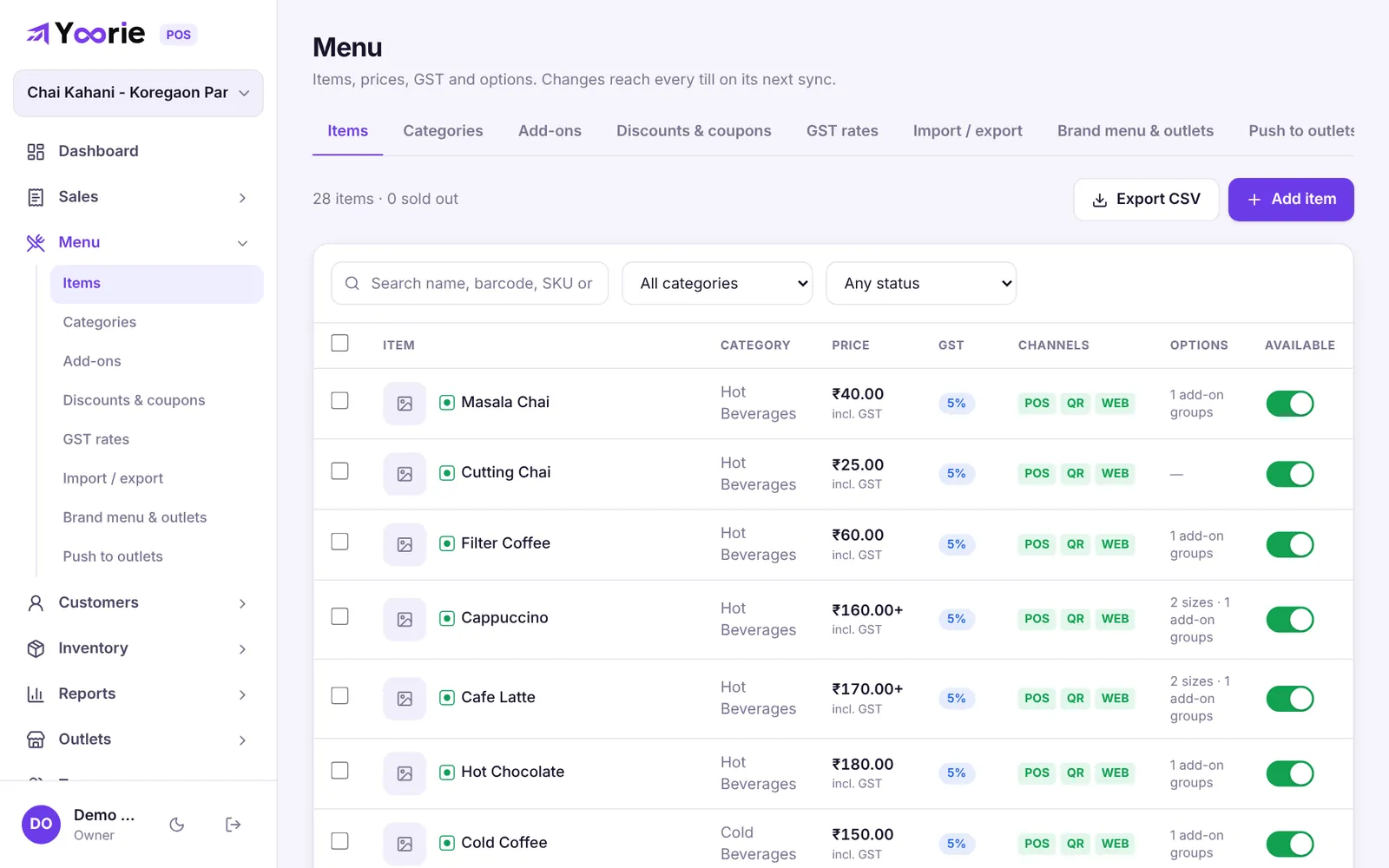
Sizes, add-ons, GST rates and channels for every item. Changes reach every till on its next sync.
No app to install. A QR on the table opens your menu, and the bill link opens a tax invoice they can save as a PDF.
No sales call, no installation visit.
Sign up with your business details, GSTIN and outlet. Your 14-day trial of every feature starts right away.
Type items in or import a CSV, set GST rates and connect your thermal printer.
Open the POS in a browser or the app, link it with a code from Admin, and staff sign in with a PIN.
Every signup starts with a free 14-day trial of everything. If you don't pick a paid plan, you stay on Free, with no lock-out.
Prices in Indian rupees, per outlet, plus 18% GST. Compare plans in detail after you sign in.
The web POS runs in Chrome or Edge on any computer or tablet. Native till apps add offline printing and peripherals.
Yes. Free is ₹0 forever for 1 outlet with 1 billing till and up to 300 bills a month, and your bills show "Powered by Billowa". Every new account also gets a 14-day trial of every feature first.
No. You can sign up and bill without adding a card. You only pay if you choose a paid plan.
Yes. The till keeps billing offline. Each bill gets its own invoice number on the device and syncs with your account when the connection is back.
Bills are tax invoices with your GSTIN, HSN/SAC codes, place of supply and the CGST/SGST (or IGST) split. GST e-invoicing is available on Pro.
58 mm and 80 mm ESC/POS thermal printers over USB, Bluetooth (Android app) or the network.
Yes. Paid plans are priced per outlet, and Pro adds a shared brand menu with per-outlet overrides and outlet comparison reports.
Owners and managers use email and password for the admin panel. Cashiers and waiters sign in on the till with a PIN, so you don't pay for extra logins.
Try every feature free for 14 days, then keep the Free plan for as long as you like.
For owners and managers: menu, outlets, staff, reports, GST and settings.
Sign in to AdminFor the counter: link this device once with a code from Admin, then staff sign in with their PIN.
Open the POS